

Where to find things
Campaigns has three tabs at the top: Campaigns, Approvals and Templates. The list can be filtered by All, Running, Drafts, Paused, Finished, Needs you and Archived. Needs you shows campaigns where a message waits for your OK or a sender needs attention. The list’s People column counts people, the same way the campaign’s In campaign does. Someone added to a campaign twice counts once.
Open a campaign and you get four tabs:
What each status means
A running campaign can show one of two extra words next to its status:
- waiting for new people: nobody is in progress, and the campaign starts people as they join.
- starting: people are in, and nobody has begun yet.
What needs you
On a launched campaign, Overview opens with Needs you. Each row says what’s waiting and has a button to deal with it.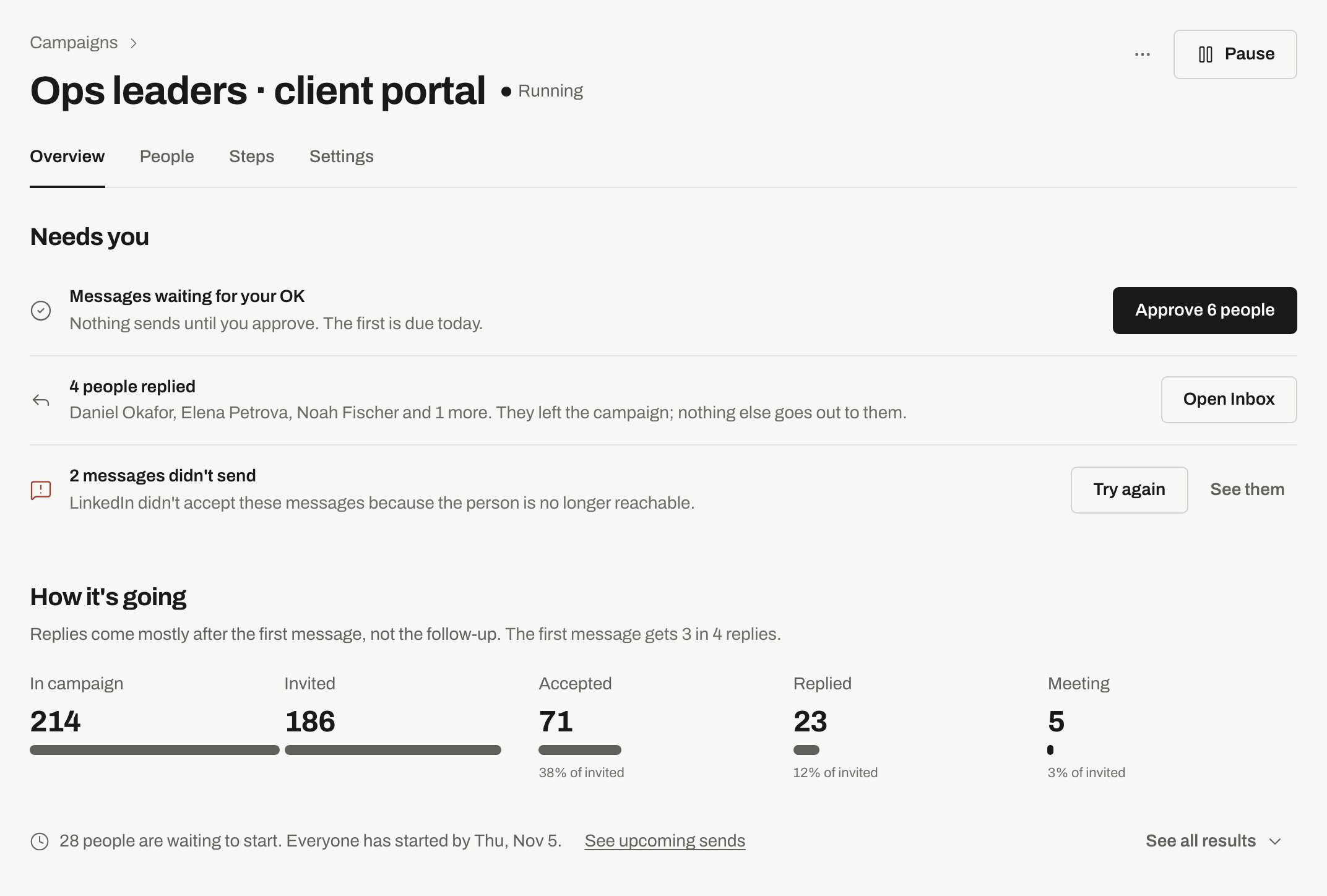
A running campaign's Overview: Needs you on top, How it's going below.
When nothing is waiting, the section says so. Below it, How it’s going shows In campaign, Invited, Accepted, Replied and Meeting. Rates appear once 50 people have been contacted for a week. Before that the page says it’s too early to tell.
Under the numbers, one line says what’s next:
Change or remove a campaign
Pause and resume
Pause and resume
Pause stops everything the campaign would send until you resume, and you get an Undo right after. People keep their place. Resume sets it running again and runs the same checks as launch. If a sender was removed or a list is gone, the resume is refused and the page says what to fix.
Duplicate
Duplicate
Duplicate makes a draft copy. People and senders are not copied, and nothing sends.
Save as template
Save as template
Save as template keeps the steps, approvals and schedule. People and senders are never saved. Your templates are under Templates, in Mine.
Archive and unarchive
Archive and unarchive
Archive keeps the results and stops all sending. Unarchive brings it back as paused, so nothing sends until you resume. A campaign that never launched comes back as a draft. If someone in it joined another campaign in the meantime, they are stopped here and the message tells you how many.
Delete
Delete
Delete… removes the steps and settings for good, after you type the campaign’s name. People and their history stay in People. You can’t undo it.A running campaign has to be paused first. A campaign that already sent messages can’t be deleted. Archive it to keep the history.
Related
Create and launch a campaign
From a template, from a description, or from blank.
Approvals
Check messages before they go out.
Senders and limits
Daily limits, working hours and pacing.
Safety pauses
When a sender or a campaign stops on its own.
Steps and messages
What each person gets, and when.
Add people to a campaign
Who joins, who is skipped and why.
Manual sends
Send by hand without connecting an account.
Upcoming sends
What goes out next, and Send now.
A/B tests
Try versions of a step and see which does better.