

Before you start
- An API key for your workspace. “API keys come with a paid plan (Software or Custom).” Only the owner or an admin can make one. See API keys.
- Your address. Open Sources, then Integrations, and press Connect on the API row. Open Developer details and copy the Address.
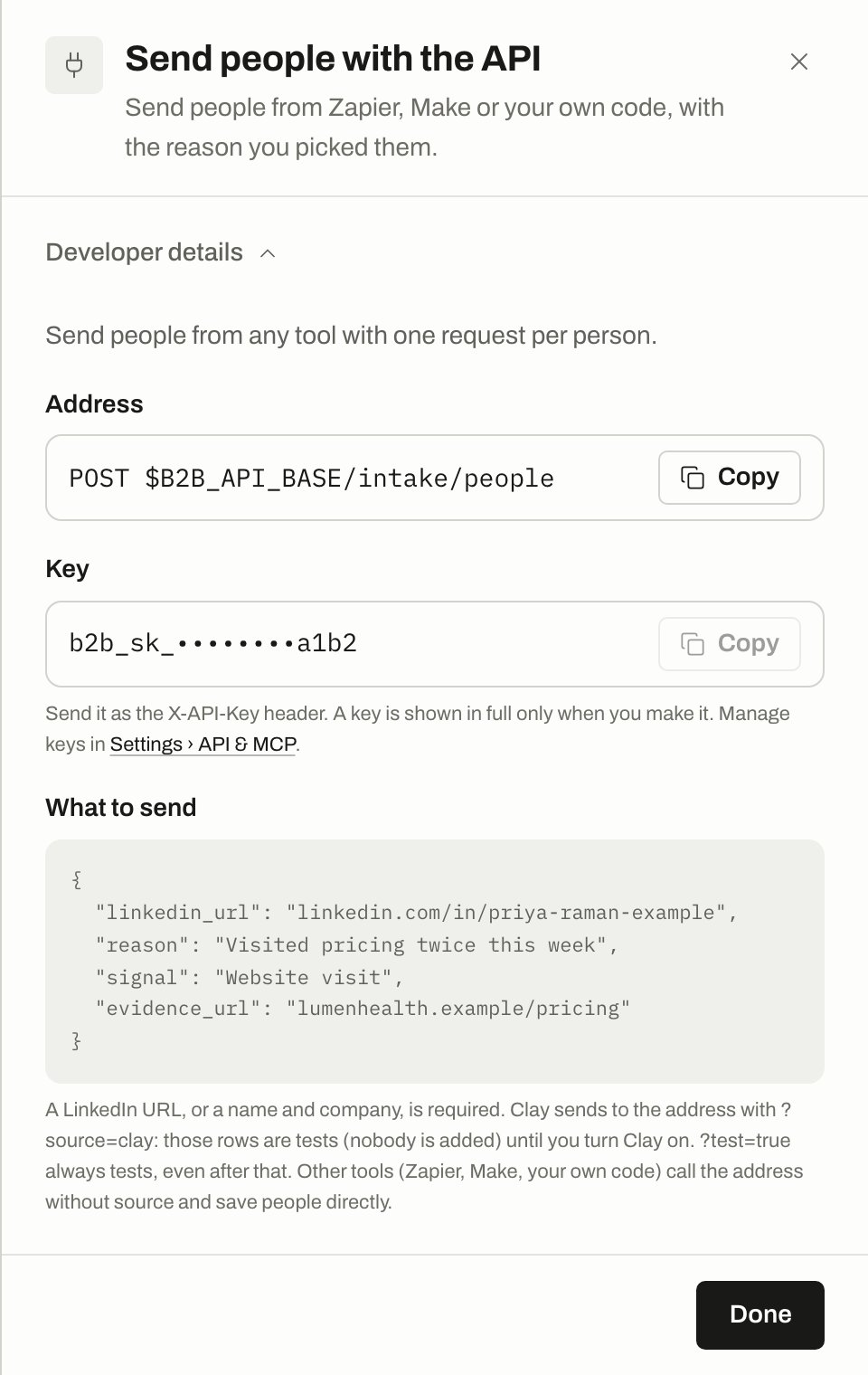
The API drawer with Developer details open. Your own address appears where this picture shows $B2B_API_BASE, and your key is masked.
$B2B_API_BASE is the address without /intake/people at the end, and $B2B_API_KEY is your key. See API keys for where to find the base URL.
Set it up in Zapier, Make or n8n
1
Add a web request step
In your tool, add a step that sends an HTTP request. Set the method to
POST and the URL to your address.2
Add two headers
X-API-Key with your key, and Content-Type with application/json.3
Build the body
Map your tool’s fields to ours. See Fields you can send.
4
Test first
Add
?test=true to the URL and run the step once. The answer says what a real send would do, and nobody is added.5
Go live
Remove
?test=true. From now on every run adds or updates a person.Clay uses the same address with
?source=clay, which keeps its rows as tests until you turn Clay on. Other tools call the address without source, so their rows are saved at once. See Clay.Fields you can send
Every request needs a person: alinkedin_url, or a name with a company_name or company_domain. A row with only a company is refused.
Add one person
201:
action is updated. We match on the LinkedIn profile, so the same person is never added twice. A person on Do not contact is saved, but never contacted.
Adding a person sends nothing to anyone.
Add a person without a LinkedIn URL
Send a full name with a company name or domain. We look up their LinkedIn profile.
A row with a LinkedIn URL never uses a lookup.
Test a row
Add?test=true, or put "test": true in the body. Nothing is saved, and a test never runs a lookup by name.
A test that would be refused still answers
200, with would: "reject".
Add people and start them in a campaign
Addworkflow_id to start the person in a campaign. To find the id, list your campaigns:
id and a name. Then:
enrolled is false and enroll_status says why:
force never overrides Do not contact, a missing name, or a recent send to another tool.
Add up to 100 people at once
200, with one result per person, in the order you sent them, and a summary:
- The top-level
workflow_idapplies to everyone who doesn’t name their own. A person’s ownworkflow_idwins. - The top-level
forceapplies to everyone. A person’s ownforce: truealso counts. - One bad row doesn’t fail the others. Check each result’s
action,reason_codeanderror. - People are handled one after another, so a full request of 100 can take a while.
Errors
An error in one person’s row is answered like this:
Check that it works
GET /intake/status tells you when your key was last used and the last test row received:
API quickstart
List people, add them to campaigns and read results.
Clay
Send rows from a Clay table.
API keys
Make and replace your key.
Webhooks
Get events back out.