

Choose a source
Find the Sources page
Open Sources. The top of the page shows how many people your sources found today, or Nobody new yet today. If people are waiting for you, Review new people opens them. The line next to it tells you how many are waiting before they can join a campaign.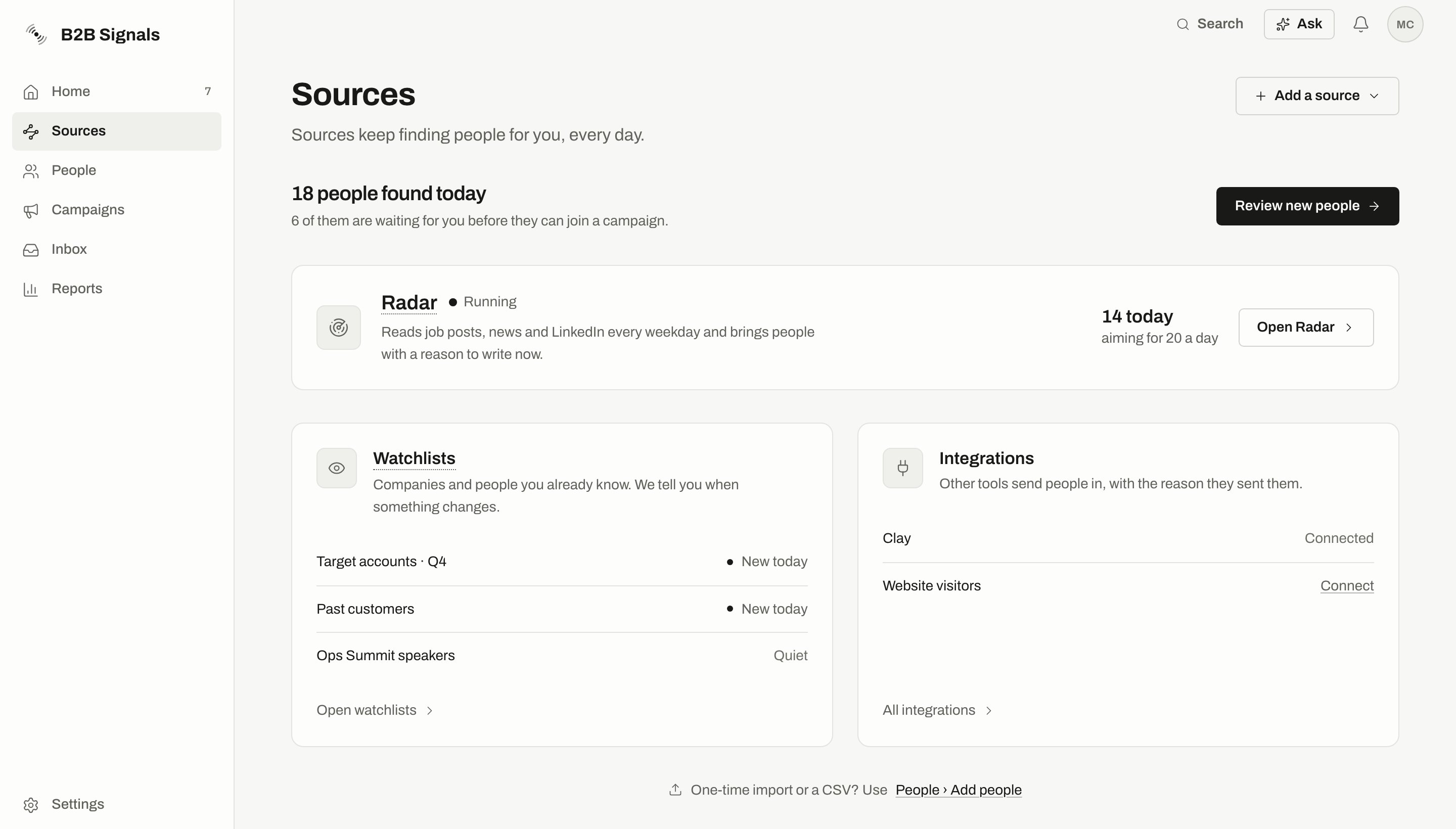
The Sources page: today's count, the Radar row, and the Watchlists and Integrations cards. Numbers are an example. Website visitors aren't available yet.
- Radar shows its status and today’s count. On the Free plan it shows this week’s count. The button is Open Radar, or Set up Radar if you don’t have one yet. If its searches keep finding nobody, the row says so, with an Edit your brief link. See When searches keep finding nobody.
- Watchlists shows your watchlists, marked New today, Quiet or Paused. Open watchlists opens them.
- Integrations shows the tools you can connect. All integrations shows the full list.
- Legacy agents appears only if your workspace has old agents.
Review before campaigns
Review decides whether new people must wait for you before they can join a campaign. Each source has its own setting.
Only owners and admins can change these settings.
With review on:
- A new person waits under To review in People.
- They stay out of every campaign, including when someone tries to add them by hand.
- Marking them Good fit lets them through. See Review people.
On the Free plan
Watchlists aren’t part of the Free plan. Radar is, with weekly limits. On Free, campaigns don’t launch and nothing is pushed to your other tools until you upgrade. See Plans.Radar
What Radar finds, its limits and how to control it.
Set up Radar
Write your brief and start the first search.
Watchlists
Follow companies and people you already know.
Review people
Decide who is a Good fit.