

Defaults
Daily digest
What happened overnight and what needs you, before you open the app. It goes out on weekdays and covers who was found, who replied and what is waiting for approval. If there’s nothing to say that day, we don’t send it, so a missing digest usually means no news.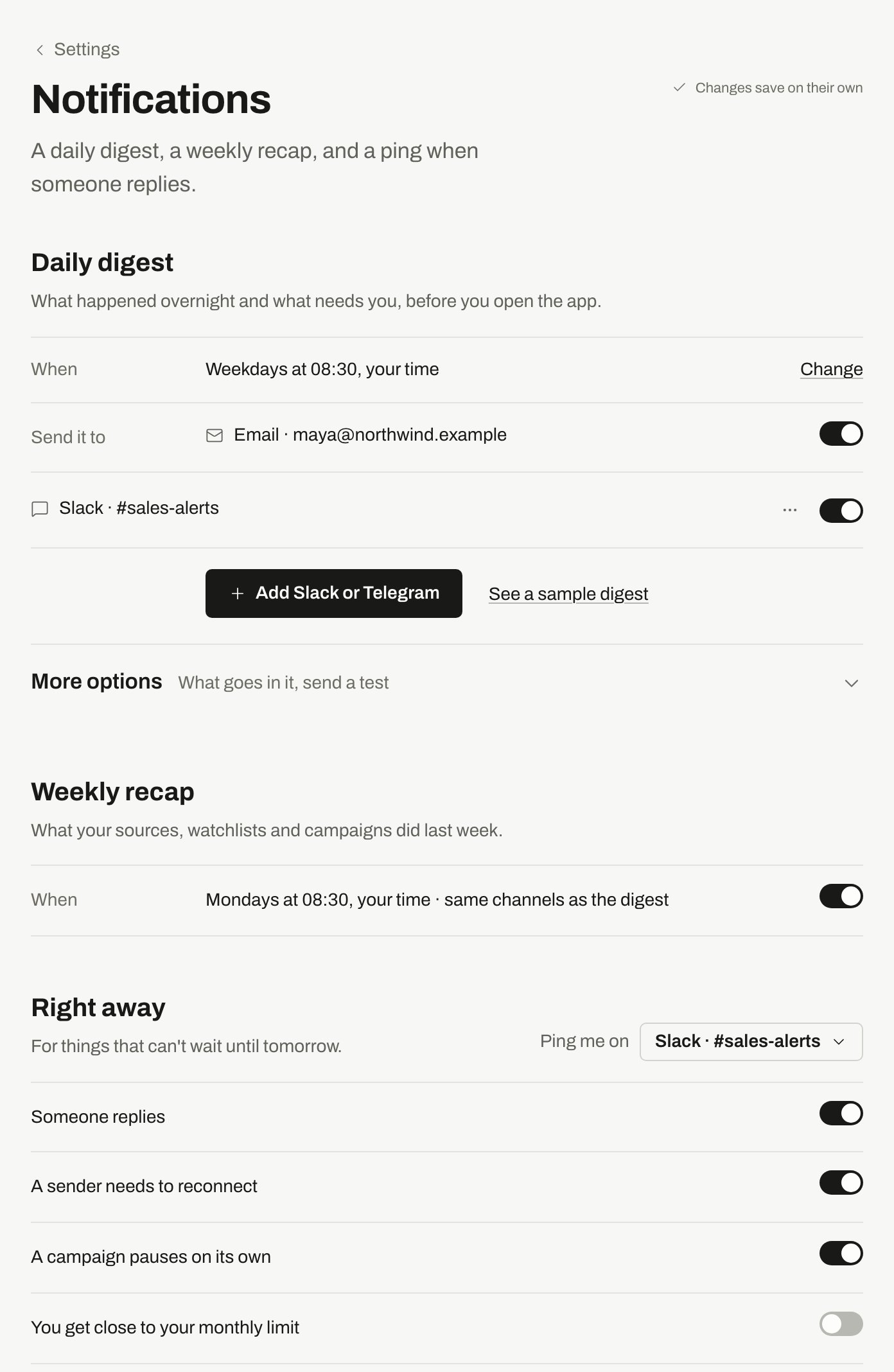
The digest goes to email and a Slack channel. Right away pings go to Slack.
Digests can include links for marking someone Good fit or Not a fit. These links work for 7 days.
Weekly recap
What your sources, watchlists and campaigns did last week. It arrives on Mondays, through the same channels and at the same time as the digest, and it’s in the same message when both go out.Right away
For things that can’t wait until tomorrow. Pick where they go with Ping me on.
Reply alerts go to the sender’s owner. To change who that is, see Connect LinkedIn.
Add Slack or Telegram
You can have up to 5 channels. Click Add Slack or Telegram, then follow the steps for Slack or Telegram. To check a channel or remove it, use Send a test or Disconnect in its menu.Other emails
If you turned off all email, a banner reminds you. Click Turn email back on to undo it.
The notice before a trial ends always arrives by email, whatever these settings say.
The bell
The bell in the app gets everything unless you stop a kind here, under In the bell. Notices stay in it for 90 days. You can stop these:- A sender needs to reconnect
- A campaign pauses on its own
- You get close to your monthly limit
- A teammate joins
- A CSV import finishes
- An export is ready
- The top person of the day
- Your weekly recap
- A search you started finishes
- A tip to find better people
Related
Home
What needs you today, inside the app.
Inbox
Where replies land.
Connect LinkedIn
What to do when a sender needs to reconnect.
Slack and Telegram
Connect a chat and act from the message.
Troubleshooting
If a digest or alert doesn’t arrive.